


Pedal Commander
3.5248.00 Reviews
App Specs
- Version
- 3.3.25
- Updated On
- License
- Free
- Downloads
- 100,000+
- Developer
- VITALEN AUTO PERFORMANCE INC
- Categories
- Auto & Vehicles
- Platform
- Android
Screenshots
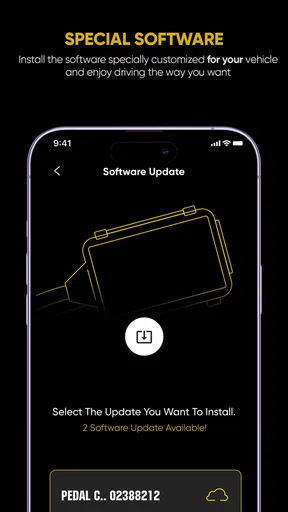
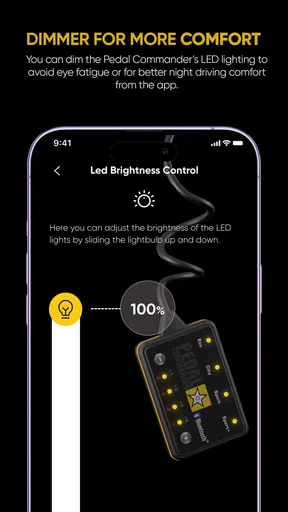
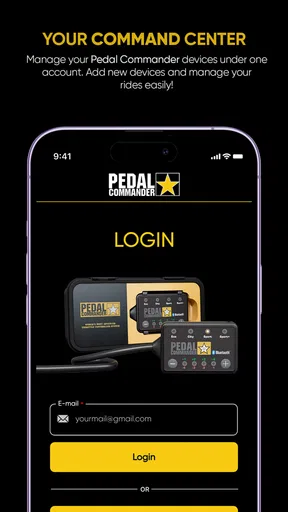
 Analysis by AppCompare
Before I trust a phone app that can affect how a car responds, I want to know what role the app actually plays. Here, the key distinction is that the app is a Bluetooth companion for a Pedal Commander throttle response controller, not a replacement for the vehicle’s own controls. That makes it most relevant to drivers who already have the compatible device and want to adjust it from a phone. If you do not own the controller, the app alone is unlikely to change your driving experience.
I also approach driving-related apps differently from casual entertainment: convenience matters, but so does knowing when a setting was changed and whether the phone is connected. I would treat any adjustment as something to make while safely parked, rather than reaching for the screen in moving traffic. A quick response is useful only when it does not distract from the road.
What to check before relying on it
The app is free to install, but the broader setup involves the separate controller, so I would not assume that downloading the app is the only step or cost involved. There are in-app purchases listed at $0.99 to $9.99 per item, another reason to review the purchase screen before confirming anything. The age rating is Everyone, and the Android minimum is version 7.0; those details help with basic compatibility planning, but they do not tell you whether a particular vehicle or controller setup is suitable.
For a cautious first session, I would connect while parked, identify the current mode, and change only one setting at a time. That makes it easier to notice what the controller is doing without confusing several adjustments. I would then drive normally in a familiar place before deciding that a more responsive setting is an improvement. A mode that feels lively on an empty road may feel tiring in a queue or on a wet commute.
What the app can—and cannot—tell you
The most useful trust question is whether a screen showing performance information should be read as a full vehicle diagnostic report. I would not treat it that way. The app’s stated purpose is controlling throttle response through the connected device; any figures shown in an interface should be understood in that context, not as a substitute for the car’s instrument panel, maintenance checks, or professional diagnosis.
Likewise, I would not assume that a Bluetooth connection means every adjustment has been applied until I can see the selected setting and feel the vehicle respond appropriately in safe conditions. If the connection drops, the phone behaves unexpectedly, or the displayed mode is unclear, I would stop trying to troubleshoot while driving and check the setup when parked. That is a sensible habit with any car-control accessory, and especially useful when the phone is part of the control path.
Who is likely to get value from it
This is a focused tool rather than a general motoring companion. It makes the most sense for someone who has the matching hardware, likes to tune pedal response for different routines, and is comfortable making small changes deliberately. A driver who only wants maps, fuel tracking, maintenance reminders, or a readout of factory vehicle faults should look for an app built around those needs instead.
Worth Reading Before You Choose

Flipboard Shows What News Apps Must Do Beyond the Feed

Switching to Android Auto Means Rethinking Your Driving Routine

Google Calendar Makes a Crowded Week Easier to Manage

Ludo King Makes the Most of the Minutes Between Plans

Baby Panda World Brings Quick Play to Modern Phones, but Its Game Library Feels Busy

ESPN’s Live Game View Makes Following Close Games Easier
I would also be cautious if you are buying it in the hope of adding engine power or changing the car’s underlying performance. Throttle response affects how acceleration feels at the pedal; it is not the same thing as increasing the engine’s output. That distinction helps set realistic expectations and avoids mistaking a sharper response for a mechanical power upgrade.
Hey there! So, I recently got my hands on the Pedal Commander app, and let me just say, it’s quite the ride. If you're into cars and love tweaking your driving experience, then this app might just become your new best friend. Let’s dive into what makes this app tick, shall we?
What’s the Deal with Pedal Commander?
Alright, picture this: you’re behind the wheel, and you want to feel every bit of power your car’s got. This is where the Pedal Commander steps in. It’s essentially a throttle response controller, and while that might sound a bit technical, it’s really all about giving you control over how your car accelerates.
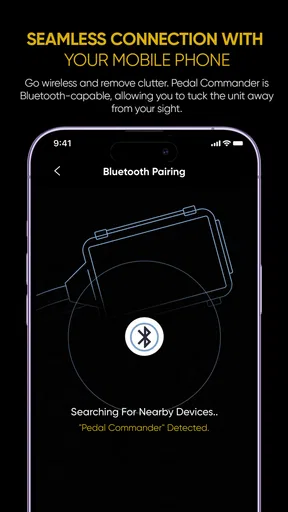
This app connects with your Pedal Commander device via Bluetooth, allowing you to adjust settings on the fly. Whether you're in traffic or cruising down an open highway, you can make those quick adjustments right from your phone. It’s like having a personal driving assistant right in your pocket.
Getting Started
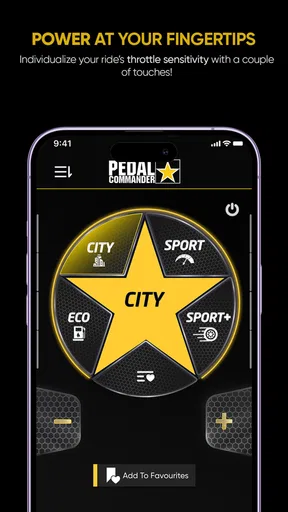
First things first, getting set up is a breeze. After downloading the app, it hooks up to the Pedal Commander device in your car. The interface is super intuitive, so even if you’re not tech-savvy, you’ll find your way around pretty quickly. Once you fire up the app, you’re greeted with a sleek dashboard that displays all the modes and settings.
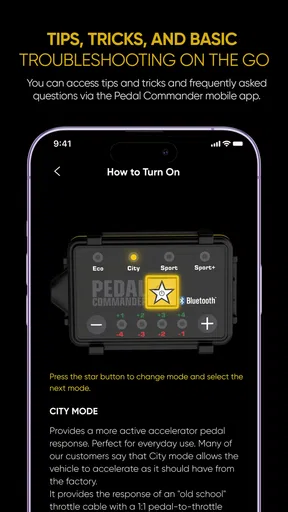
There are four main modes to choose from: Eco, City, Sport, and Sport+. Each mode has its own distinct feel, and you can even tweak the sensitivity to suit your driving style. It’s like having multiple personalities for your car—Eco for those long drives to save fuel, Sport+ when you’re feeling a bit adventurous. You get the idea!
Features That Stand Out
One of the standout features of the app is the real-time adjustments. You can literally feel the change in your car’s response as you switch between modes. It’s super satisfying, especially if you’re someone who loves to feel the difference immediately.
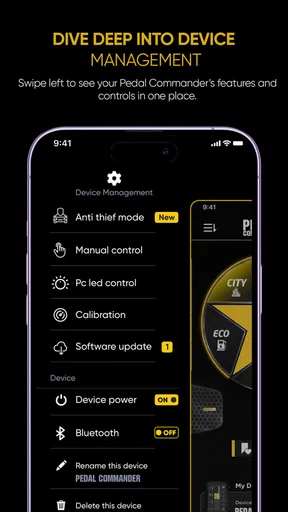
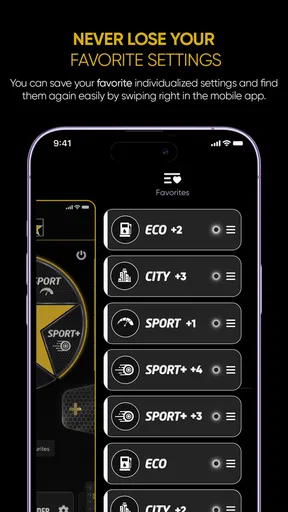
Another great addition is the ability to customize and save settings. If you find that sweet spot that makes your car feel just right, you can save it for later use. No need to fiddle with settings every time you hit the road—just set it and forget it.
Oh, and the app also keeps track of your car’s performance stats. It’s not just about the feel; you can actually see how your adjustments are affecting things like fuel efficiency and speed. It’s like having a mini dashboard of your car’s vital signs.
Why You Might Love It
So, why should you consider giving Pedal Commander a shot? If you’re someone who values control over your driving experience, this app is a game-changer. It’s perfect for car enthusiasts who love to tinker and tweak their rides for that perfect drive.
Plus, it’s just plain fun. There’s something incredibly satisfying about being able to adjust your car’s responsiveness to match your mood or driving conditions. Whether you’re in the mood for a relaxed drive or want to feel every bit of power under the hood, this app has you covered.
The Wrap-Up
In a nutshell, the Pedal Commander app is a must-try for anyone serious about their driving experience. It’s user-friendly, packed with features, and offers a level of customization that’s hard to beat. Not only does it enhance your drive, but it also gives you insights into your car’s performance that you might not have had before.
So, if you’re ready to take your driving experience to the next level, hop on over to your app store and give it a whirl. You might just find yourself wondering how you ever drove without it. Happy driving!
How it fits into an ordinary drive
Think about a weekday routine with a short, stop-and-go commute followed by a longer open-road trip at the weekend. A driver might prefer a gentler response in congested streets, then choose a livelier feel for a clear stretch later. The useful part is not switching modes constantly; it is finding a setting that suits a repeated situation and keeping it consistent. That makes changes easier to judge and reduces the temptation to tap through options whenever traffic conditions shift.
There is also a practical trade-off between customization and predictability. A more sensitive pedal response can make the vehicle feel eager, but it can also make small pedal movements feel more pronounced. If another person regularly drives the same car, a saved preference may not suit them. I would tell anyone sharing the vehicle what setting is active and let them try a conservative option in a quiet, familiar area before handing over the keys.
Choosing between an app, a controller, and other tools
Compared with ordinary automotive apps, which often center on navigation, trip records, or maintenance information, this one has a narrow purpose: adjusting a connected throttle controller. That focus can be a strength because the controls are tied to a specific driving feel rather than buried among unrelated features. But it also means it is the wrong choice if your main goal is route planning, fault-code reading, or a broad overview of car ownership.
It is also different from relying on the vehicle’s standard drive modes. Those factory options may change several vehicle behaviors together, while this setup is centered on throttle response through its own device. I would not assume the two approaches are interchangeable. If you are happy with the manufacturer’s normal settings and do not have a clear complaint about pedal feel, trying the built-in modes first is the simpler route.
For someone comparing response controllers, the phone interface is only one part of the decision. The device itself, compatibility with the vehicle, ease of installation, and the way the driver likes the resulting pedal behavior matter just as much. I would confirm those practical points before purchasing hardware, rather than choosing solely because the app looks convenient. The app is most compelling after the equipment question is already settled.
Small habits that make testing more useful
When trying the modes, I would keep a simple mental note of the setting and situation: city traffic, a steady suburban road, or a clear highway. Then I would change one variable and repeat a familiar route when conditions are similar. This is more informative than switching back and forth several times in one trip, because traffic, road grade, and driver input can all affect how responsive the car feels. It also helps prevent a momentary impression from becoming an overconfident conclusion.
I would be especially careful about interpreting the app’s performance information. A displayed change in speed or fuel-related figures does not, by itself, prove that a mode improved efficiency; route, traffic, and driving style matter. If fuel economy is the priority, compare similar journeys and treat the app’s figures as context rather than a controlled test. The controller changes pedal response, so smoother driving habits may matter more than selecting a particular label.
Another useful habit is to decide in advance when not to make changes. If the phone is out of reach, the Bluetooth link is unreliable, or the road demands full attention, leave the setting alone. A saved preference can reduce fiddling, but it is not worth creating a distraction to reach it. I would also avoid experimenting when a sudden response could surprise a passenger or make a maneuver less predictable.
What ownership and support expectations should be
VITALEN AUTO PERFORMANCE INC develops the app, which is free to download and has an average rating of 3.5 from around 679 ratings, with roughly 242 written reviews. It has been installed over 100,000 times, so it is not an obscure utility, but those figures are only a broad snapshot of user experience. They cannot tell me whether the app will pair smoothly with a particular phone and controller, so I would keep expectations practical and judge the setup in my own vehicle.
The current version is 3.3.14, and the app has been available since February 14, 2018. That history gives the product context, not a guarantee that every device combination will behave the same way. Before relying on it for a regular commute, I would check that the phone meets the minimum operating-system requirement, pair the controller at home or while parked, and make sure I can return to a familiar setting without rushing.
Trust also means being precise about what I can judge. I would review any permission prompts shown during installation and use, and I would make choices based on what the app actually asks for rather than guessing about its data practices. The same goes for account controls: I would look at the screens available to me and avoid assuming that a particular account or privacy feature exists. If a permission seems unrelated to the task I am trying to do, I would pause and decide whether I am comfortable proceeding.
Who should pass, and my measured verdict
I would skip this app if I do not have the matching controller, if I want an all-purpose dashboard, or if I am hoping for extra engine power. I would also hesitate if I rarely adjust pedal feel, dislike managing a phone connection in the car, or share the vehicle with drivers who need a fixed and familiar response. For those needs, the car’s standard settings—or a separate app designed for diagnostics or trip planning—may be more useful and less distracting.
For the right driver, though, the appeal is clear: the app offers a direct way to manage a specific accessory and tailor pedal response to recurring situations. I would start conservatively, make adjustments only when parked, and keep the setting that feels predictable rather than chasing the most dramatic reaction. My recommendation is cautious rather than universal: it is worth considering when the hardware and goal already match, but it is not a necessary download for every car owner.
Pros
- Enhances throttle response instantly.
- Easy installation without special tools.
- Compatible with most vehicles.
- Offers multiple driving modes.
- Improves fuel efficiency.
Cons
- May void vehicle warranty.
- Pricey compared to competitors.
- Requires manual tuning for best results.
- Limited customer support options.
- Bluetooth connection can be inconsistent.
FAQs for Pedal Commander
What is Pedal Commander and how does it work?
Pedal Commander is an app designed to enhance the throttle response of your vehicle, providing a more responsive driving experience. It connects to your car's throttle system, allowing real-time adjustments via Bluetooth. The app offers multiple modes, such as Eco, City, Sport, and Sport+, to customize your driving experience based on your preferences.
Is the Pedal Commander app compatible with my vehicle?
The Pedal Commander app is compatible with a wide range of vehicle makes and models. Before downloading, check the compatibility list provided by the developers on their website or within the app. This ensures that your vehicle can leverage the full capabilities of the Pedal Commander system.
How do I install and set up the Pedal Commander app?
Installing the Pedal Commander app is simple. First, download the app from the Google Play Store or Apple App Store. Follow the on-screen instructions to pair the device with your vehicle via Bluetooth. Ensure that your car is turned on and the device is properly connected to the throttle system before making adjustments.
Are there any subscription fees or additional costs involved?
The Pedal Commander app itself is free to download. However, to utilize the app, you must purchase the Pedal Commander hardware, which is a separate cost. No subscription fees are required, but the initial investment in the device is necessary for the app to function.
Can the Pedal Commander app affect my vehicle's warranty?
Using the Pedal Commander app and hardware does not void your vehicle's warranty. The device is designed to be a plug-and-play solution, meaning it can be easily removed without leaving a trace. However, it is advisable to consult with your vehicle's manufacturer or dealership for specific warranty concerns.


